Removing ScreenConnect did not remove the way back in
ScreenConnect returned hours after an IT provider removed it. Huntress traced the way back in to a separate device-management client, and a second case shows why the tenant belongs in the investigation.

An unauthorised ScreenConnect installation returned hours after an IT provider removed it, according to Huntress research published on 28 October. The attacker had already installed a separate device-management client, giving them a route to deploy the remote-access tool again.
That is the part worth checking before closing a rogue remote-access alert. Removing the application a defender can see may leave the system that installed it in place. In this case, the earlier foothold was a genuine Hexnode mobile device management client, introduced through a phishing lure.
Huntress also describes a separate incident involving Rippling. Both cases abused legitimate management software to install unauthorised remote monitoring and management tools. The report describes social engineering and misuse of those products, rather than exploitation of a vulnerability in Hexnode or Rippling.
The installer came first
The Hexnode case began with proposal-themed phishing emails. Their subjects included invitations to submit or review a proposal, and the messages mentioned an organisation the target probably knew. That relationship was the researchers' assessment, not a confirmed account of who sent the messages.
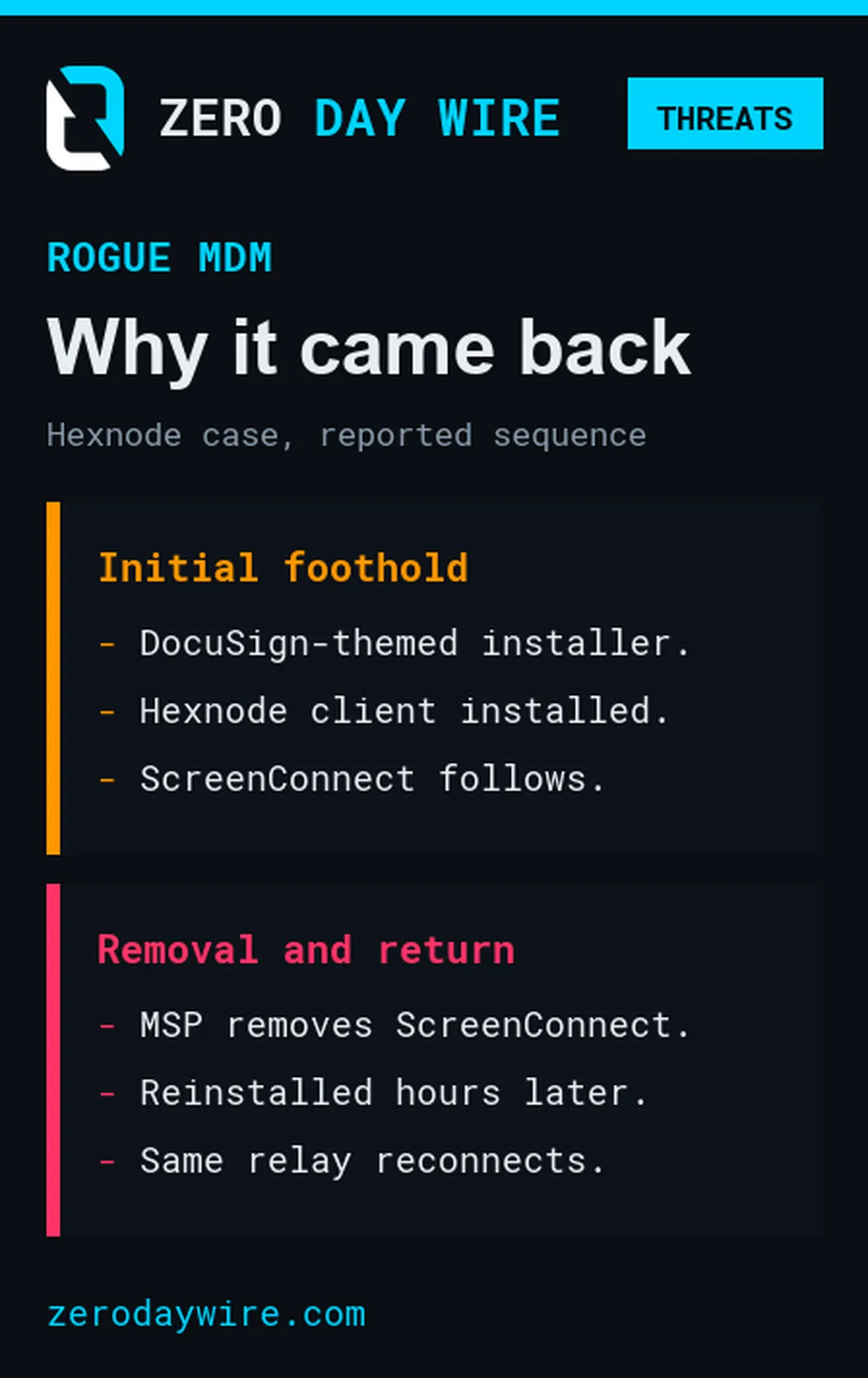
A link downloaded a file named eD0cuSign_Installer.msi. The name suggested a document-signing application. The package actually installed Hexnode Gateway, a Hexnode agent and supporting PostgreSQL components.
ScreenConnect followed shortly afterwards. It connected to an attacker-controlled relay, triggered a Huntress alert and was removed by the managed service provider handling the computer.
Several hours later, another ScreenConnect instance appeared and connected to the same relay. A second alert led Huntress to isolate the endpoint and begin fuller remediation. The report does not give a precise interval or say that a vulnerability allowed the tool to return.
The previously installed Hexnode client explains why deleting ScreenConnect was insufficient. The attacker could stage and install the remote-access software again through the management path already on the machine. Two alerts reaching the same relay support continuity within this incident; they do not establish who the operator was.
A meeting link, then management access
The Rippling incident took a different route. An email about tax planning contained what appeared to be a Microsoft Teams meeting invitation. The link opened a page titled Calendar, which redirected to a PHP file.
Huntress says that file appears to have helped enrol the device into an attacker-controlled Rippling tenant. The site had been taken down shortly after the attempt, and the researchers describe its Teams-calendar appearance as likely. The published account does not show every enrolment screen or user approval, so a click should not be presented as a demonstrated silent bypass.
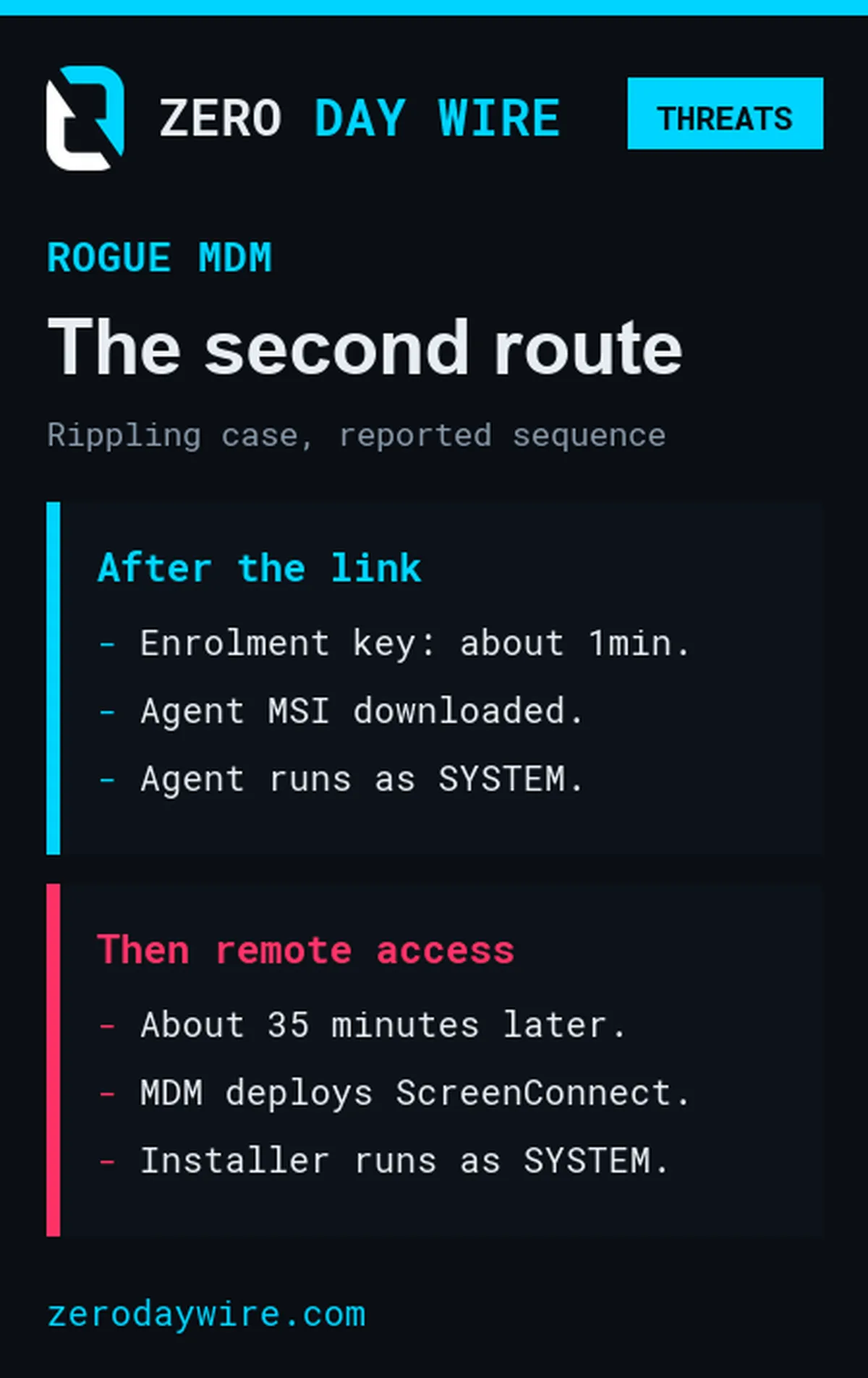
The endpoint evidence is firmer. About a minute after the link was clicked, a Rippling enrolment registry key appeared. A Rippling agent installer was subsequently downloaded, and the agent ran as C:\Rippling\daemon.exe with SYSTEM-level permissions.
Approximately 35 minutes after the agent installation, the attackers used the MDM platform to stage and run a ScreenConnect installer as SYSTEM. It connected to a different attacker-controlled relay and triggered a Huntress alert.
Huntress traced the activity to the online Rippling management agent. It says this suggests the attacker had previously created an account. That account history is an inference in the report, and there is no need to turn it into a claim that an existing customer's administrator account was stolen.
Inventory the tenant as well
The common feature is a management relationship the organisation did not authorise. A recognised software name is useful context, but it cannot answer who enrolled the device, which tenant controls it or what that tenant is allowed to deploy.
Huntress recommends keeping an inventory of approved MDM products, tenants, agents and remote-access instances. The tenant belongs in that list. An agent from a product the business uses can still warrant investigation if it points to an unfamiliar management environment.
The useful detection chain runs from the lure to the enrolment, then to application deployment and the outbound relay connection. Those events can sit in different systems. An endpoint alert for ScreenConnect is therefore a reason to inspect recent management changes, not simply an instruction to uninstall a file.
The report describes two cases in detail but gives no total victim count, campaign start date or actor attribution. It also does not establish that the same operator conducted both incidents. The findings support a specific response improvement without requiring a claim about a wider coordinated campaign.
Remove the deployment path
For a suspected compromise, Huntress recommends isolating the endpoint and removing it from the unauthorised MDM tenant. Its guidance also covers disabling attacker-created accounts, revoking active sessions or tokens, resetting affected credentials and reimaging the endpoint if its integrity cannot be confirmed.
Apply those steps to the evidence in the incident. Do not remove an organisation's approved management service merely because its product name appears in this report. Establish which enrolment and agent belong, then contain the management relationship that does not.
For users, unexpected meeting invitations, document-signing requests and proposal reviews should be verified through a known route before installing software or accepting device management. A routine business request should not quietly become authority over the computer.
The useful question after removing a rogue remote-access tool is whether anything left behind can install it again. In the Hexnode case, that was the gap between the first cleanup and the second alert.