Detecting ShieldBreak LPE: KQL for the CVE-2026-50656 patch bypass
A detection that has quietly failed and a detection with nothing to report look identical from the outside. A field write-up of building rules for the ShieldBreak privilege-escalation zero-day, and of the assurance layer that tells quiet apart from broken.


Two detection rules. One has quietly failed. The other is working perfectly and has nothing to report. Look at their output and you cannot tell them apart, because both produce the same thing: silence.
Most detection programmes never notice this. An empty alert queue feels like good news, so we file it as good news and move on. But silence is not an answer, it is a question we have stopped asking. Is nothing happening, or has the thing that watches for it stopped watching?
This is a write-up of two days spent building detections for a fresh privilege-escalation zero-day, and the exploit is only the occasion. The real subject is that question, because by the time you read this there will be a dozen ShieldBreak explainers and they will all tell you the same things. None of them will tell you how to know your detection still works next month.
The zero-day, briefly
ShieldBreak was disclosed on 12 August 2026 by a researcher going by Nightmare Eclipse. It bypasses the patch Microsoft shipped in July for RoguePlanet, CVE-2026-50656, and it turns local code execution into SYSTEM.
Enough of the mechanism to make the detection logic make sense, and no more. RoguePlanet was a filesystem race condition: virtual disks and NT native file manipulation used to trick Defender's quarantine process into overwriting system files. ShieldBreak reaches the same place by a different road. It hooks a user-mode callback to change a file's contents mid-scan, during a Defender cloud-hydration pass through the Cloud Filter API. The scanner is running as SYSTEM at the moment of hydration, so whatever it writes lands with SYSTEM rights. That is the whole trick. It is described here at the level already public in the disclosure and in Kevin Beaumont's write-up, and no further, because going deeper would help attackers and nobody else. This is a piece about detection.
Two things to be plain about. This is privilege escalation, not remote code execution. The attacker is already running code on the host, which makes ShieldBreak the second link in a chain, not the way in. And SYSTEM is not a step sideways from administrator, it is a step above it. From SYSTEM you can switch Defender off, read credentials straight out of LSASS, and lay down persistence in the kernel. That credential theft is what turns one compromised laptop into a foothold across the whole domain, and it is why a local escalation is worth this much attention.
It affects fully patched Windows 10, Windows 11 and Windows Server. The public proof of concept covers Windows 11 25H2 and Server 2025; Windows 10 is named as vulnerable but not carried by the current PoC. Defender has to be the registered antivirus provider for any of it to work. At the time of writing there is no patch. July's Malware Protection Engine update, 1.1.26060.3008, closed the original RoguePlanet path and nothing else.
The gap nobody documents: hunting query to detection rule
Kevin Beaumont published hunting queries for ShieldBreak on his ThreatHunting GitHub repository, and three of the four rules below started there. Credit where it is due, and a warning attached to it: a hunting query and a deployed detection rule are not the same artefact, and almost all public research arrives as the former. Paste a hunting query straight into a custom detection rule and it will usually fail, for reasons that stay invisible right up until you hit them.
The first is output columns. Microsoft Defender XDR custom detection rules must return Timestamp, ReportId, and an entity column, DeviceId for the device tables. Hunting queries drop these constantly, because when you are hunting interactively you never need them. In the published queries, one used summarize to deduplicate, which throws ReportId and DeviceId away; one simply never projected them; one did extend Timestamp = MpTime after a join had renamed the original Timestamp out of existence.
The summarize case is the instructive one, because the obvious fix, deleting the summarize, throws away the deduplication you wanted in the first place. The fix that keeps both:
| summarize FirstSeen = min(Timestamp),
    arg_max(Timestamp, ReportId, DeviceId, InitiatingProcessCommandLine, FolderPath)
    by DeviceName, InitiatingProcessFileName, InitiatingProcessFolderPath, FileName
arg_max carries the identifiers from the most recent matching event through the aggregation, so you keep the deduplication and satisfy the schema at once.
The second is Sentinel syntax wearing Defender clothing. One published query ended with:
| extend HostCustomEntity = DeviceName, ProcessCustomEntity = InitiatingProcessFileName
That is Microsoft Sentinel analytics-rule syntax for entity mapping. Defender XDR maps entities in the rule-creation interface instead, so in Defender the line is inert. Harmless, but worth deleting, because Sentinel and Defender KQL look identical and this exact mistake stays invisible until someone asks why the entity mapping never populated.
The third is near-real-time eligibility, and it shapes everything. Defender XDR lets a rule run continuously, which it calls near-real-time or NRT, or every hour, three hours, twelve, or twenty-four. For a privilege escalation, NRT is the only frequency that matters, because an LPE runs in seconds and a three-hour polling window is a gift to the attacker. But NRT comes with constraints you can design straight into a corner: a single table only, no joins, no let statements, no summarize. In practice three of the four rules could run continuously and the fourth, the best one, could not, because it needs a join. The highest-fidelity detection is also the slowest. That is uncomfortable, and it is a large part of why the assurance layer further down exists at all.
The detections
The reasoning is the useful part here, not the code, so lead with the reasoning.
The strongest of the four is the correlation rule, so start there. Individually, a process loading Defender's client library and a process driving the Cloud Filter API each have perfectly benign explanations. Together, in the same process, inside a five-minute window, they do not. Nothing legitimate has cause to be talking to Defender's client library and steering file hydration at the same moment. The co-occurrence stops being a heuristic and starts approaching a signature. That is the transferable lesson: two individually noisy signals, correlated, can yield a high-fidelity detection that neither gives you alone.
Here it is, and note the frequency, because this is the rule the join forces onto an hourly schedule:
let mp_loads = DeviceImageLoadEvents
| where FileName == "MpClient.dll"
| project MpTime = Timestamp, ReportId, DeviceId, DeviceName,
          InitiatingProcessFileName, InitiatingProcessFolderPath, InitiatingProcessId;
let cld_loads = DeviceImageLoadEvents
| where FileName == "cldapi.dll"
| project CldTime = Timestamp, DeviceName, InitiatingProcessId;
mp_loads
| join kind=inner cld_loads on DeviceName, InitiatingProcessId
| where abs(datetime_diff('minute', MpTime, CldTime)) < 5
| extend Timestamp = MpTime
| project Timestamp, ReportId, DeviceId, DeviceName, InitiatingProcessFileName,
          InitiatingProcessFolderPath, MpTime, CldTime, InitiatingProcessId
The two component rules are worth running in their own right, at NRT, as context. The first watches for a process outside Defender's own directories loading MpClient.dll, which legitimate software has no reason to do:
DeviceImageLoadEvents
| where ActionType == "ImageLoaded"
| where FileName == "MpClient.dll"
| where not(
    InitiatingProcessFolderPath startswith @"C:\Program Files\Windows Defender\" or
    InitiatingProcessFolderPath startswith @"C:\ProgramData\Microsoft\Windows Defender\" or
    InitiatingProcessFolderPath startswith @"C:\Windows\System32\" or
    // replace both lines below with your own endpoint management agent
    InitiatingProcessFileName =~ "your-endpoint-agent.exe" or
    InitiatingProcessParentFileName =~ "your-endpoint-agent.exe")
| project Timestamp, ReportId, DeviceId, DeviceName, InitiatingProcessFileName,
          InitiatingProcessFolderPath, InitiatingProcessCommandLine, FolderPath, FileName
Those last two exclusions are a placeholder. Your endpoint-management agent almost certainly loads this library legitimately, so you will need to add your own tooling here, by process name, before the rule is usable. That is not a detail to skip: get it wrong and you either drown in the agent's own activity or, worse, exclude so broadly that you blind the rule.
The second component watches for a process outside vetted paths loading the Cloud Filter API:
DeviceImageLoadEvents
| where ActionType == "ImageLoaded"
| where FileName == "cldapi.dll"
| where not(
    InitiatingProcessFolderPath startswith @"C:\Windows\System32\" or
    InitiatingProcessFolderPath startswith @"C:\Program Files\" or
    InitiatingProcessFolderPath startswith @"C:\Program Files (x86)\")
| project Timestamp, ReportId, DeviceId, DeviceName, InitiatingProcessFileName,
          InitiatingProcessFolderPath, InitiatingProcessCommandLine, FileName
Be honest about this one: it is the noisiest of the four by a distance. Anything installed per-user under %LOCALAPPDATA% that touches file sync will match, which means Electron applications, collaboration clients, anything OneDrive-adjacent. You will be building an exclusion list. Build it properly. Check InitiatingProcessFolderPath alongside InitiatingProcessSignerType, then exclude the specific signed publisher path rather than the whole AppData tree. Excluding AppData wholesale is the tempting shortcut and it blinds the rule to precisely the place an attacker drops a payload. A quieter queue bought with a hole exactly where it matters is a bad trade, and that lesson outlives this particular exploit.
When a mitigation tells you how the attack works
The fourth rule is not from the public queries, and how it came about is the interesting part.
Tanium published an interim mitigation for ShieldBreak: drop a 0-byte phoneinfo.dll placeholder to block the exploit. Sit with that for a second. A mitigation that works by occupying one specific filename is telling you something the disclosure did not spell out, which is that the filename is the substitution target. And if writing to that file is what the attack needs, then writing to that file is detectable:
DeviceFileEvents
| where FileName =~ "phoneinfo.dll"
| where ActionType in ("FileCreated", "FileModified", "FileRenamed")
| where not(InitiatingProcessFileName in~ ("TiWorker.exe", "TrustedInstaller.exe", "poqexec.exe"))
| project Timestamp, ReportId, DeviceId, DeviceName, ActionType, FolderPath,
          InitiatingProcessFileName, InitiatingProcessFolderPath, InitiatingProcessCommandLine
This turned out to be the lowest-false-positive rule of the four, because outside Windows servicing almost nothing has cause to write that file. It runs at NRT.
The technique is worth taking away on its own: when a vendor publishes a mitigation, read it as intelligence about the exploit, not just as a step to apply. A fix reveals mechanism. What it blocks tells you what the attack does, and often points straight at a detection the disclosure never handed you.
One operational note. If you deploy the placeholder mitigation, your own deployment tooling will trip this rule once per device as it lands. Either exclude that path or treat the one-time wave as confirmation the mitigation actually deployed.
The assurance layer, and why a heartbeat is not enough
Now the part that matters. Three of these rules run continuously and one runs hourly, and every one of them, once deployed and quiet, tells you nothing you can trust. Quiet could mean nothing has happened. It could just as easily mean the rule was disabled. Or its query broke against a schema change, or the telemetry source stopped reporting, or someone deleted it during a tidy-up, or it was never valid in the way you assumed. Most detection programmes read silence as the first of those. It is evidence for none of them. Untested backups have the same problem: never having needed one is not the same as knowing it works.
The answer is an assurance layer, something that reports positively on every cycle so that the absence of its output is itself the alarm. The obvious version of this is a heartbeat: did the job run, yes or no. That verifies the scheduler and nothing else. It tells you the machinery turned over, not that the thing the machinery exists to catch is still being caught.
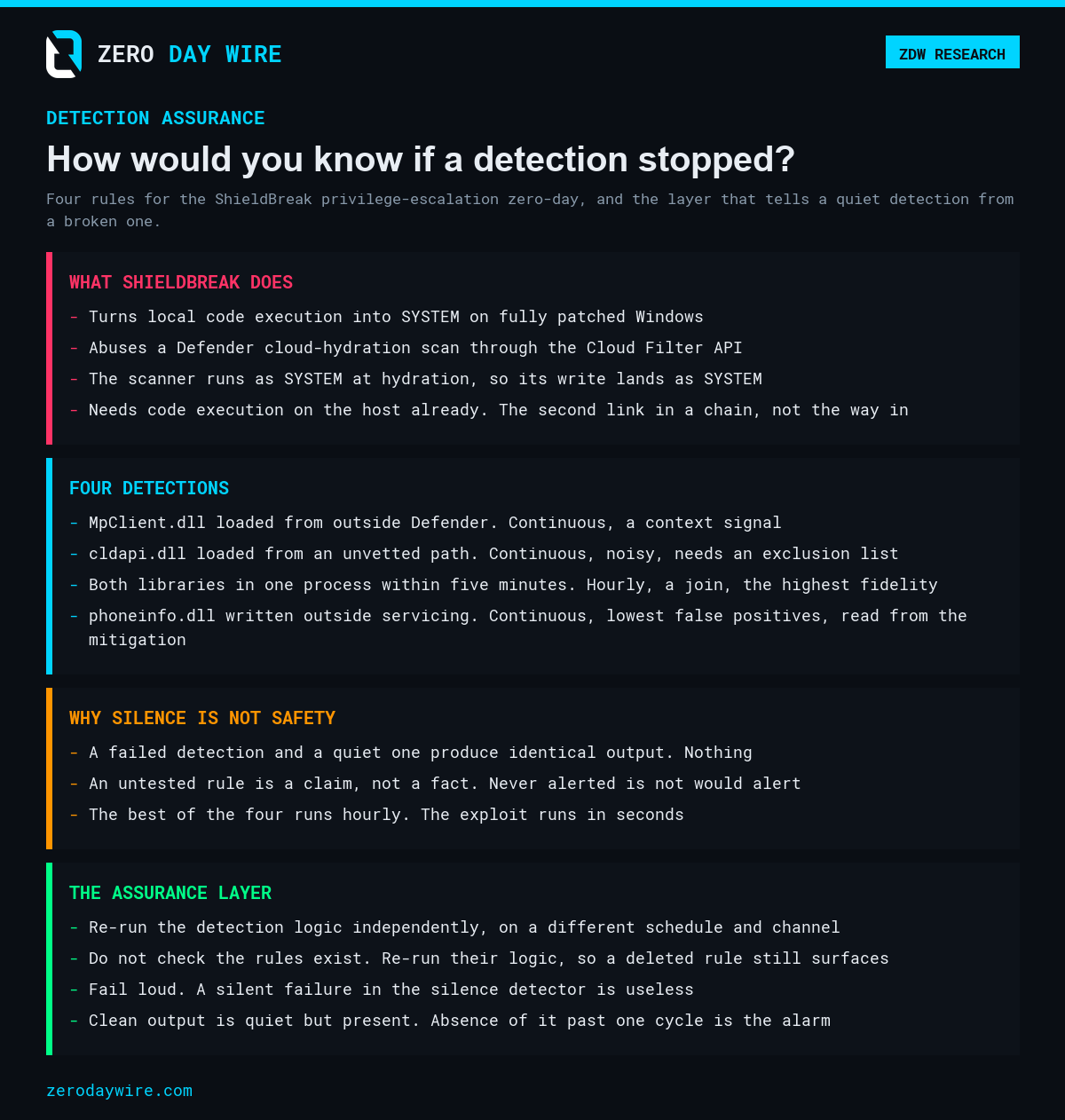
The stronger design re-executes equivalent detection logic against the raw telemetry, through a different mechanism, on a different schedule, alerting through a different channel. Ours ran every three hours, authenticating as a managed identity, querying the advanced hunting API directly and independently re-checking all four conditions, then posting to a chat channel either way. The distinction that matters: it does not check whether the rules exist or are healthy. It re-runs the logic. If someone deleted every one of the primary rules, the sweep would still surface the activity, because it does not depend on them. That is the whole difference between a heartbeat and an independent second opinion, and it is the single most important design decision in this piece.
A few choices worth stealing. The lookback deliberately overlaps the schedule, a four-hour window on a three-hour cadence, because if they matched exactly then any late-starting run or platform delay would leave a seam where events were swept by nothing. The overlap means an event can show up in two consecutive sweeps, which costs nothing, while a gap could cost everything. Failure is loud: if the sweep cannot complete it says so plainly and states that the primary detections are unaffected, because a silent failure in the thing built to catch silent failure would be a special kind of useless. And clean output is quiet but present, one compact message, no mention, no notification. The team norm you have to establish alongside it is that the absence of that routine message, past a single cycle, is itself the signal.
Cost, since it is the usual objection: the sweep runs in well under a minute, roughly four minutes of compute a day, comfortably inside the free tier of the automation platform. Detection assurance is not an expensive discipline. It is mostly a decision to treat silence as a question.
The bits that went wrong
The dead ends are the most useful part of any write-up, so here are the ones that cost hours.
Directory roles are not resource roles. Hold the highest directory administrator role in the tenant and you have exactly zero rights over the cloud resource plane, because they are separate authorisation systems. A Global Administrator collects 403s from the resource manager while holding the most privileged directory role on offer, which is a confusing way to spend an afternoon. The documented way across the boundary is an elevation that grants a resource-plane role assignment. Two things to do honestly if you use it: remove the elevation in the same session, and flag it to whoever watches for it rather than leaving it to be discovered. In our case the elevation tripped a legitimate detection in the monitoring, which was a quietly satisfying result. The controls worked, including against the person building the controls.
Authorisation caching. After the elevation, resource-manager calls kept failing. The cause was that authorisation decisions are cached per access token for a while, and a denial evaluated before the grant persists in that cache. A fresh token clears it. The error text actually says, unusually helpfully, that if access was recently granted you should refresh your credentials, which for once is exactly the right advice.
The mail permission problem, which is the best of the set. Granting an application the tenant-wide send-mail permission is the easy part. Restricting it so the identity can only send as one mailbox is where it gets interesting. The long-standing mechanism is an application access policy. We created one, scoped it to a security group holding only the sending mailbox, and tested it: the test cmdlet returned Granted for the permitted mailbox and Denied for another. Every check passed. The actual send then returned a 403:
"Access to OData is disabled: [RAOP] : Blocked by tenant configured AppOnly AccessPolicy settings."The cause was that the tenant had moved to RBAC for Applications, the successor mechanism, and where that is in use it supersedes the legacy policy. An application not registered there is denied by default, no matter what the legacy policy says or what the legacy test cmdlet reports. The tell is simple: if querying for Exchange service principals returns results, the tenant is on the new model. The correct path is then registering the identity as a service principal, creating a management scope filtered to the target mailbox, and assigning the application role against that scope. Verification is a different cmdlet, Test-ServicePrincipalAuthorization, which reports an InScope value. Two authorisation mechanisms coexisting, the legacy test tool reporting success while the operation fails, and an error message that names the new mechanism only obliquely: anyone building app-only mail in a migrated tenant will hit this, and there is almost nothing written about it.
Font substitution mangling evidence. Minor, but it matters more for a security tool than it looks. Backslashes in file paths rendered as Won signs, the ₩ character, in desktop Outlook, while displaying correctly on mobile. The cause is that U+005C is drawn as ₩ in several East Asian fonts, and the desktop client was substituting one of them. No amount of specifying Latin fonts in font-family fixed it. The Word rendering engine keeps separate font slots and honours mso-fareast-font-family; pinning that, along with mso-ascii-font-family, mso-hansi-font-family and mso-bidi-font-family, to a Latin font resolves it for every recipient rather than depending on each one's local configuration. A file path is evidence, and evidence that renders wrong is evidence an analyst may mistrust or mistranscribe.
Make it infrastructure, not a one-off
The watchdog started welded to this one threat. That was the wrong shape, and it got refactored so the threat-specific configuration, the summary text, the response action, the rule list, the hunting query, lives in a library, with one job serving every monitor and each schedule picking one by parameter.
The reason to bother is simple. If standing this up for the next zero-day means rebuilding it, it will not happen. If it means adding a configuration block, it will. Detection assurance only earns its keep if the second zero-day is cheaper to cover than the first.
What this does not do
A practitioner write-up that skips its own limitations is marketing, and a reader who spots an unacknowledged weakness stops trusting the rest of the piece. So, plainly:
Detection is not prevention. None of this stops the exploit. It reports that it happened. The vendor mitigation is the only control here that actually prevents, and it needs a change window and staged testing, not an afternoon.
Untested detections are a claim, not a fact. At the time of writing, none of the four rules had fired. They are valid, the platform accepted three of them as near-real-time, which confirms the query shape, and the assurance sweep runs the equivalent logic cleanly. But "never alerted" and "would alert" are different statements. Closing the gap needs a controlled test: a throwaway rule matching a benign file you create on purpose, confirm the alert and the incident appear, then remove it. That was still outstanding when this was written, and pretending otherwise would undercut the whole argument of the piece.
The noisy rule is still noisy. The cldapi.dll detection's exclusion list is unfinished, and it will stay a work in progress for a while.
And an assurance layer is itself a thing that can fail quietly. Build one that only its author understands and you have moved the single point of failure rather than removed it, which is an argument for writing the design down while it is fresh, and for making the configuration boring enough that someone else can read it cold.
And the window is what it is. The best of the four rules runs hourly, because the platform will not run a join in near-real-time, and an exploit that completes in seconds fits comfortably inside an hour. The assurance layer narrows the blast radius of a broken detection. It does not close the gap between hourly and instant.
Action Items
- Deploy the vendor mitigation first. It is the only control here that prevents rather than reports, and it wants a change window and staged testing rather than an afternoon.
- Add your own endpoint-agent exclusions to the
MpClient.dllrule before you enable it, by process name. Enabling it as published will bury you in your own management agent. - Expect noise from the
cldapi.dllrule. Exclude by signed publisher path, never by excluding the AppData tree wholesale. - Run the controlled validation test: a throwaway rule matching a benign file you create on purpose, confirm the alert and the incident both appear, then remove it. Until you have done that you have a claim, not a detection.
- Build the assurance sweep so that it re-runs the detection logic against raw telemetry, rather than checking whether the rules look healthy. A rule-status check will not survive someone deleting the rules.
- Then set the team norm that matters more than any of the above: the absence of the routine all-clear, past one cycle, is itself the signal.
Every detection you own is making a silent claim, every hour of every day, that it is still working. Most of the time your only evidence for that claim is that it has not complained, and a detection that has died does not complain either. It just goes quiet, and quiet was always the plan.
ShieldBreak will be patched and forgotten. The question it forced is the one worth keeping, and it is a different question from the one most teams ask. Not "has it alerted". Ask "how would I know if it stopped".